
Before an attorney is able to certify Articles of Incorporation in South Carolina using the state’s online Business Filing, whether for a standard corporation, a statutory close corporation, a professional corporation, or a professional corporation that elects to be a statutory close corporation, you will need to complete the Articles of Incorporation form.
Before you submit the Articles of Incorporation to the Secretary of State, you will also need to complete an Initial Annual Report included in the Business Filing interface. If you are an incorporator and are electronically signing and submitting the Articles, no signature page is needed from you. However, an attorney certification Signature Page will need to be uploaded using the Business Filing interface. The attorney may upload that document himself for your convenience.
What follows is a brief visual guide to the process:
Step One: select “Online Filings”

Step Two: select “File and Search Online”

Step Three: select “File & Search Online Today”
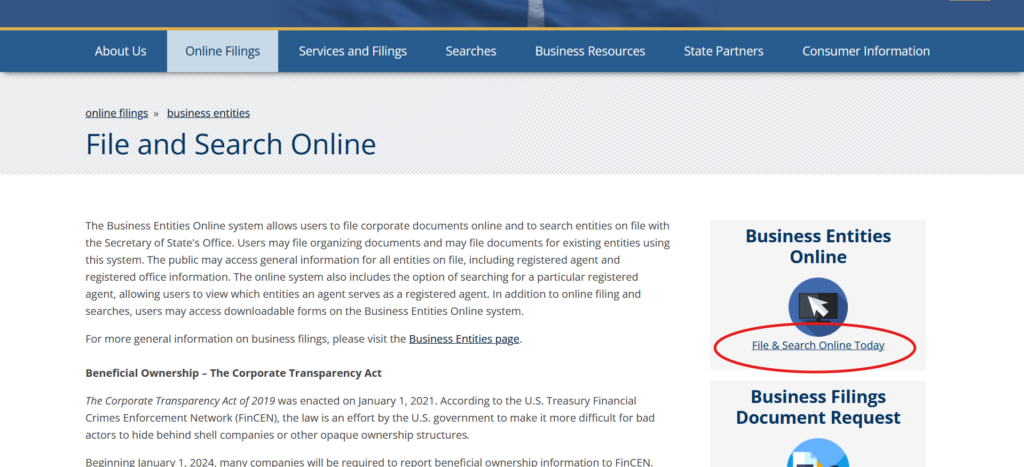
Step Four: select “Start a New Business Filing”
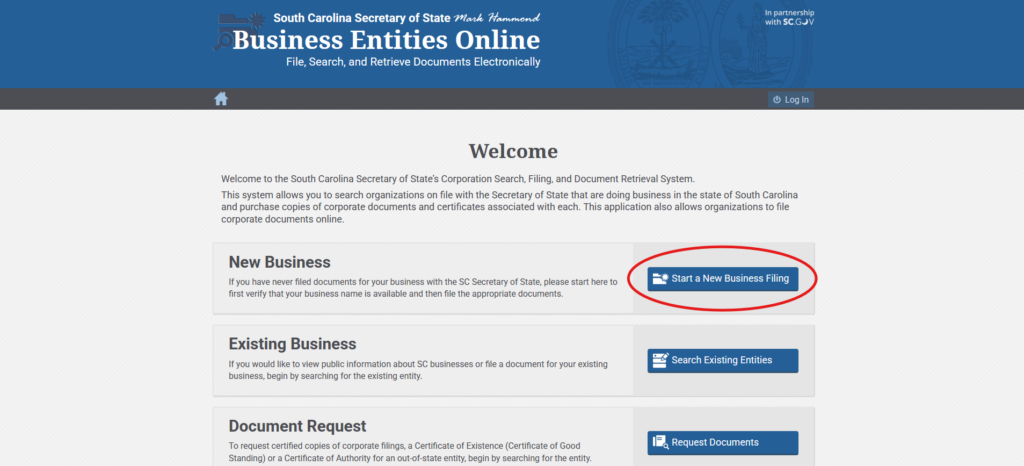
Step Five: search business name with limited liability designation (e.g. Corporation, Inc., etc.)
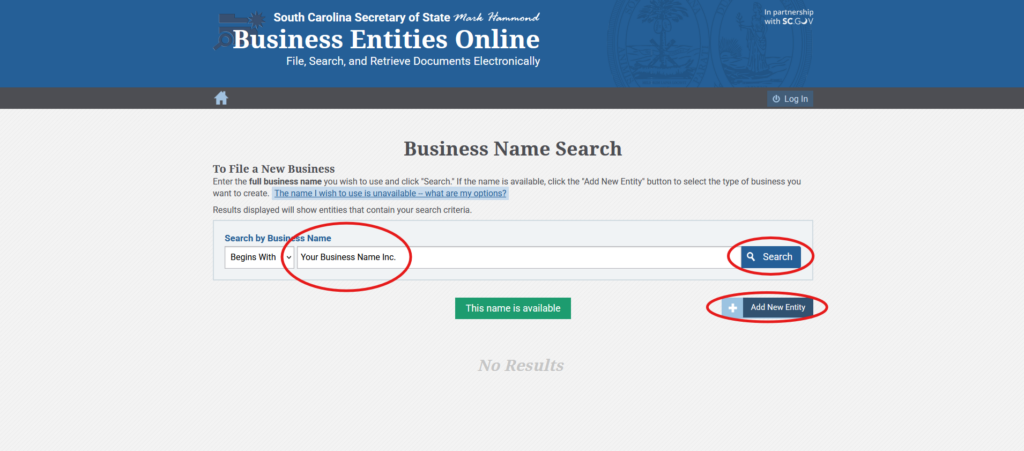
Step Six: register and login
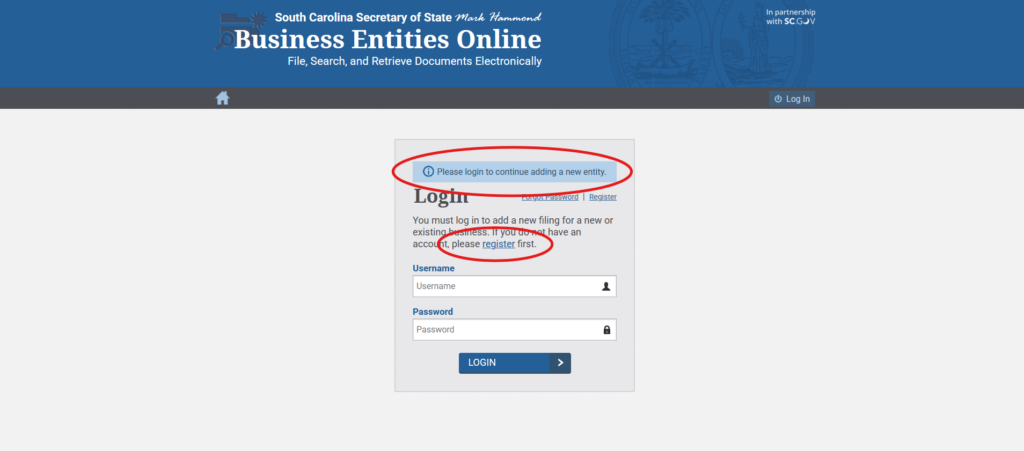
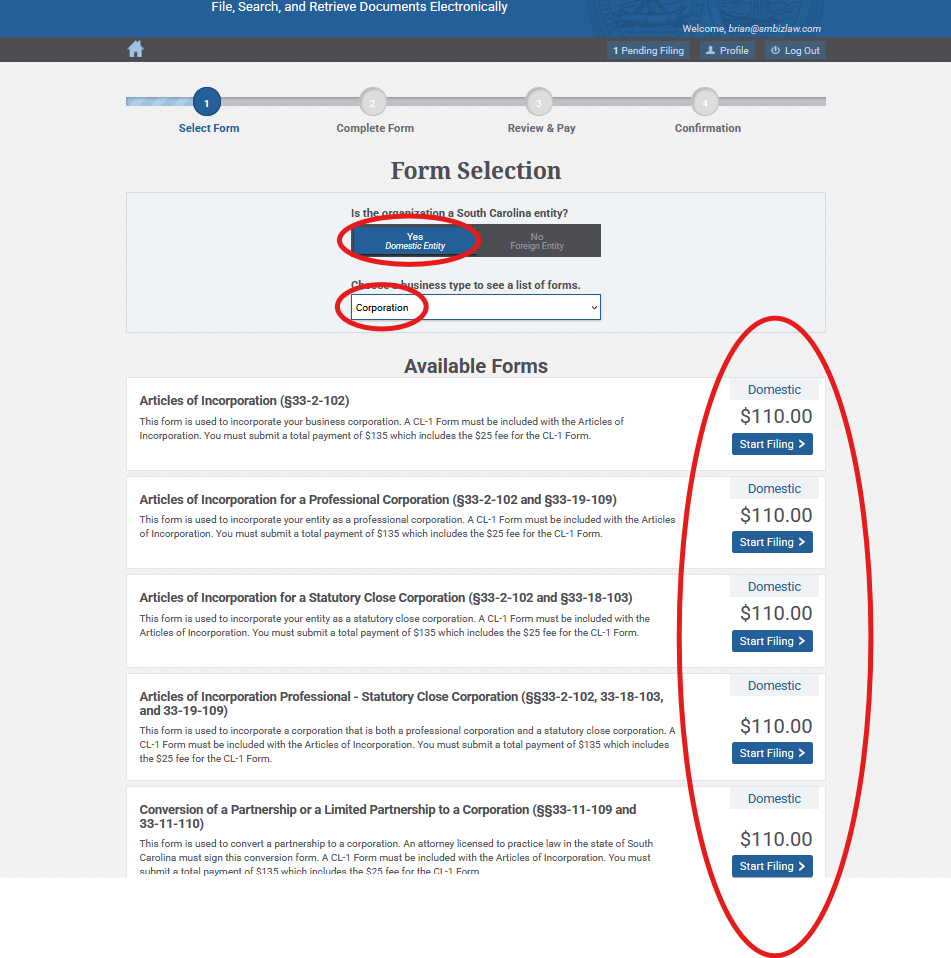
Step Seven: select “Yes Domestic Entity,” “Corporation,” “Start Filing” associated with the type of corporation
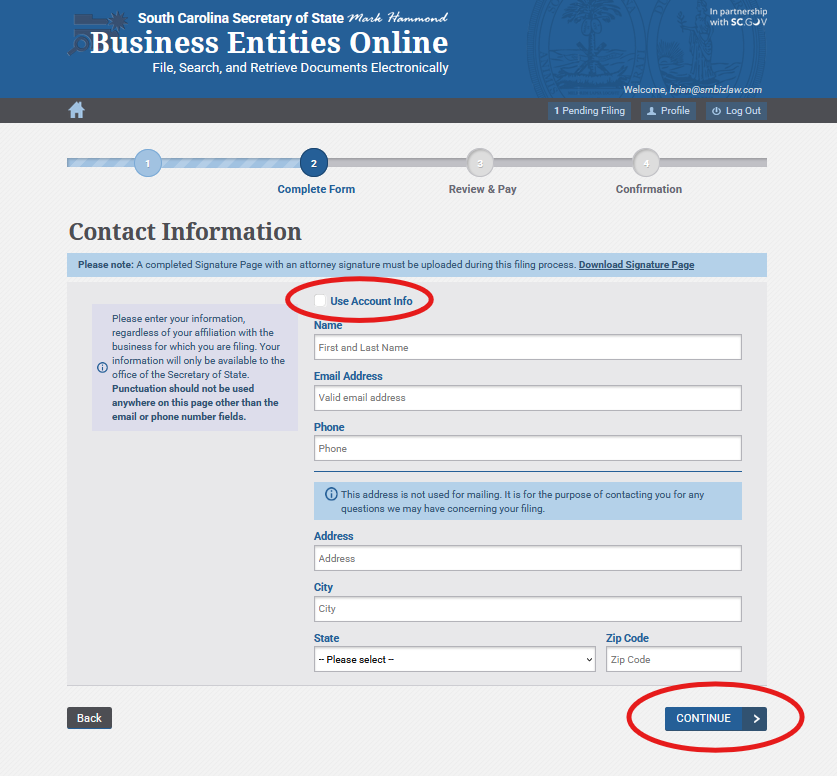
 Step Eight: input Contact Information (“Use Account Info” if applicable) and continue
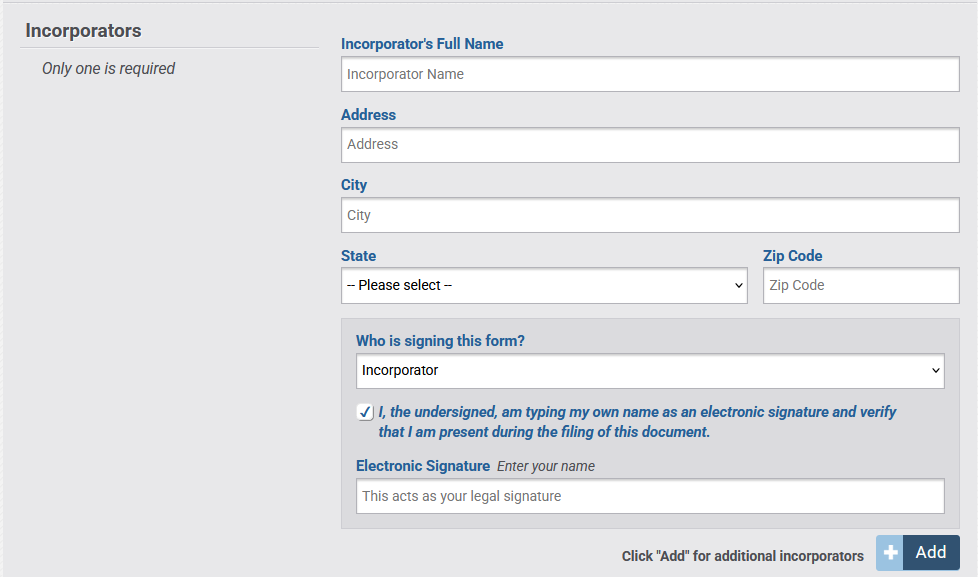
Step Nine: complete Articles of Incorporation for type of corporation selected and electronically sign as incorporator if present during filing. If you are not present during filing and the party filing the document will be signing, then “Filer” and not “Incorporator” must be selected and an executed signature page must be uploaded. Click “Add” to add additional incorporators.
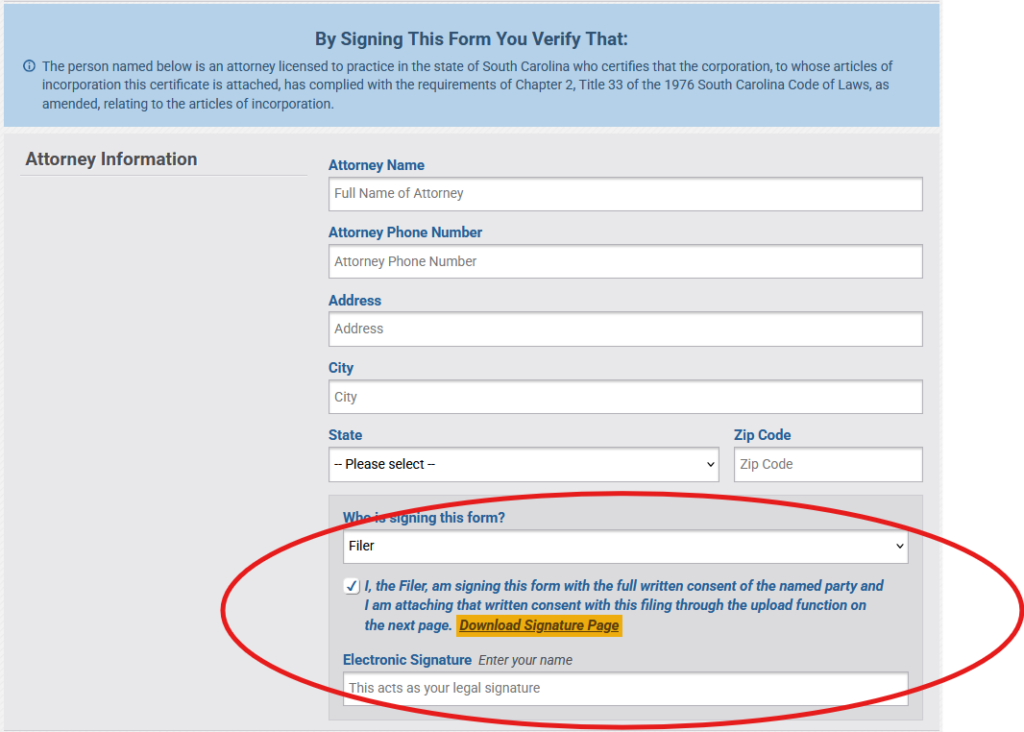
Step Ten: if proposed articles comply with the requirement of Chapter 2, Title 33 of the 1976 South Carolina Code of Laws, as amended, the attorney shall certify the articles and upload a Signature Page.
Step Eleven: upload any needed Signature Pages, complete CL-1 form, and save.
DO NOT PROCEED TO PAYMENT UNTIL AFTER THE ARTICLES HAVE BEEN REVIEWED BY THE CERTIFYING ATTORNEY AND THE CERTIFYING ATTORNEY SIGNATURE PAGE HAS BEEN UPLOADED.
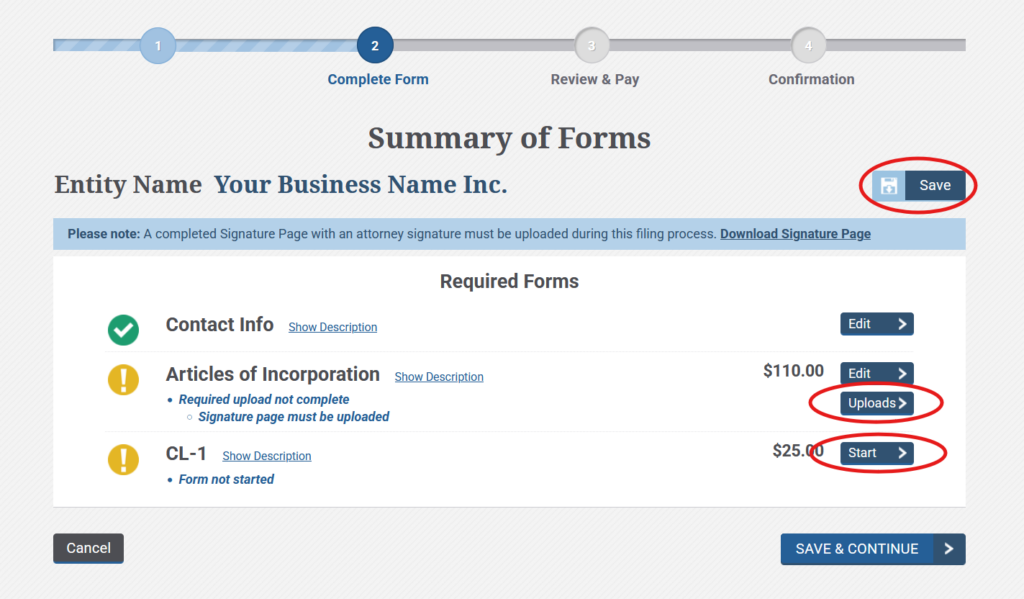
Step Twelve: after completion of all forms, attorney certification, and all required signature pages have been uploaded, save and continue and proceed to payment.
Your corporation should soon be in existence!
Forming the corporation is an important step but not the only one. MAKE SURE THAT YOU COMPLY WITH ALL OTHER STATUTORY, REGULATORY, AND TAX REQUIREMENTS. Most corporations are required to have bylaws and are subject to additional federal and state filings.
Contact me should have have any questions.